

Data theft is one of the most serious security issues we need to take care of nowadays. There might be a malicious piece of software wandering around your system's memory in stealth mode, ready to catch anything you type, including passwords and credit card numbers, and send them to a remote system. Luckily, you can use tools like KeyScrambler to reduce this kind of risk almost completely.
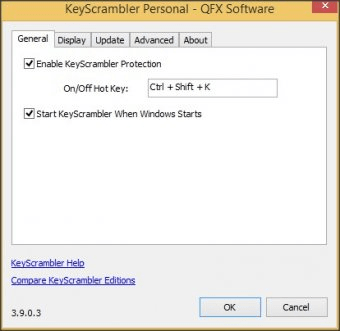
KeyScrambler is very lightweight and installs in seconds, and once it's installed you are automatically protected against keyloggers. Basically, the program catches and encrypts every keystroke you give at a very low level in your system, so even if a malicious piece of code in you memory is catching and sending the information you type, the data the remote user/system receives will simply make no sense. In this way, you can recover your peace of mind and type anything you need with confidence. The program slides a small gadget showing you the encrypted information as you type anything, so that you can always verify that the encrypted characters have no relation with the ones you really type. Besides, you can enable and disable the program's protection at any moment, using a configurable key combination.
The Personal edition of the program can be used totally free of charge, however, it only protects the information you type within most major web browsers, which I consider a serious limitation to the program's functionality. You can also opt to upgrade to the Pro or the Premium editions of the program which are paid, but they also protect the information you type in other apps like games, e-mail clients, VoIP clients, passwords managers, text processors, Windows logon and others.
To sum it all up, KeyScrambler is a simple but powerful tool that will help you improve your system's security and protect your personal and sensitive information. Even if you use the free edition of KeyScrambler to protect the information you type in web browsers only, you will reduce the risk of data theft in a very considerable percentage.






Comments (3)
using this great software which gives me more safety without slowing
down the performance of my PC.
I also like that MS Office and KeyPass are integrated.
Great software at a small price which is worth for me every cent I paid.
Kind regards
Claus Baumann